CMS Systems That Fit Your Workflow
Tailored content management built around how your team actually works. No compromises, no workarounds.
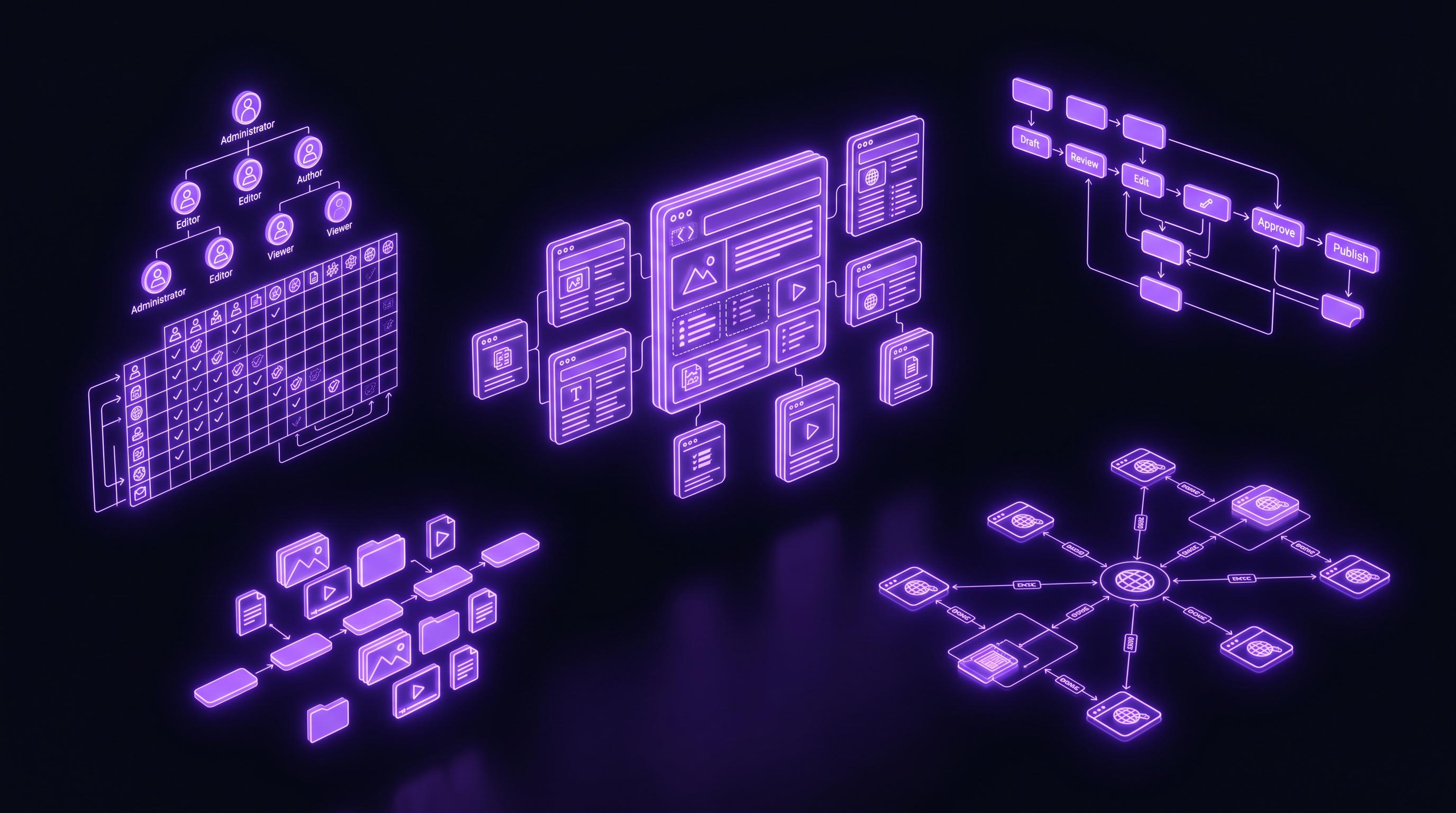
Off-the-shelf CMS platforms force your team into someone else's workflow
WordPress, Drupal, and Joomla work fine for blogs and brochure sites. The moment your content model gets complex — multi-step editorial review, publisher-specific metadata, relationship-heavy taxonomies — you hit walls. Editors end up wrestling with admin screens that do not match their mental model. Developers pile on plugins that conflict with each other and expand your attack surface. Every content update becomes a ticket, not a task.
We build CMS platforms that match your content structure exactly. Custom post types with proper meta boxes that display fields in the order your editors expect. Role-based access that lets junior writers draft, senior editors approve, and legal sign off — all without a single email. Content versioning so you never lose a revision. The result is a system your team actually wants to use.
Structured Content
Custom post types and taxonomies that mirror your real-world content relationships, not a blog's default hierarchy.
Locked-Down Access
Granular role-based permissions. Writers draft, editors approve, admins configure — no overlap, no accidents.
Full Version History
Every revision stored, diffable, and restorable. Know who changed what, when, and roll back in one click.
Features built for real content operations
Custom Post Types & Taxonomies
We model your content with precision. If you run a publisher platform, we create separate post types for Articles, Videos, Podcasts, and Galleries — each with their own field sets, validation rules, and display logic. Hierarchical taxonomies for topics, flat taxonomies for tags, and custom relationship fields linking related content. Unlike generic CPT plugins that dump everything into one UI, we register each type with its own menu position, icon, and capabilities using register_post_type() with carefully configured supports arrays and capability_type mappings. The admin sidebar reflects your content structure, not a plugin's assumptions.
Editorial Workflow Engine
Content does not go from draft to published in one step at serious organizations. We build multi-step workflows with custom post statuses — Draft → Pending Review → Legal Approval → Scheduled → Published. Each transition fires actionable email notifications to the right people. A custom dashboard widget shows editors exactly what needs their attention. We implement this using WordPress's register_post_status() API combined with transition hooks (transition_post_status) and scheduled cron jobs for time-sensitive publications. No third-party SaaS required, no per-user licensing fees.
Role-Based Permissions
WordPress's default roles — Administrator, Editor, Author, Contributor, Subscriber — rarely map to real organizational structures. We define custom roles with surgical capability grants using the add_role() and map_meta_cap filters. A sports publisher might need Beat Reporter, Section Editor, Copy Editor, Photo Editor, and Managing Editor roles — each with different access to post types, taxonomies, media, settings, and other users' content. We store the capability matrix in a deployable configuration file so permissions stay consistent across staging and production environments. For multisite networks, we configure super-admin overrides and per-site role exceptions.
Content Versioning
WordPress stores post revisions by default, but it is limited and unreliable at scale. We implement a robust versioning layer that snapshots the entire content state — post data, all meta fields, taxonomy relationships, and featured media — on every significant change. Editors can diff any two versions side-by-side with inline highlighting of additions, deletions, and modifications. Rollbacks restore the full content state atomically, not just post_content. For high-volume publishers, we archive old revisions to cold storage after 90 days to keep the posts table performant. The system handles 50+ revisions per article without slowing down the admin interface.
Media Management
WordPress's default media library becomes unmanageable past a few thousand files. We build structured media taxonomies — by campaign, by photographer, by usage rights, by date — so editors find assets in seconds, not minutes. Bulk upload tools process drag-and-drop file drops with automatic IPTC metadata extraction, WebP conversion via ImageMagick, and responsive srcset generation. For publisher clients serving 2 million daily page views, we integrate with external DAM systems or cloud storage (AWS S3, Cloudflare R2) and serve images through a CDN with on-the-fly resizing. The media grid loads in under 500ms even with 100,000+ assets in the library.
Multi-Site Architecture
When you manage multiple brands, publications, or regional sites, WordPress Multisite is the right foundation. We architect networks with shared user tables, shared media libraries (where appropriate), and site-specific content silos. The super-admin dashboard provides network-wide analytics, cross-site content syndication, and centralized plugin and theme management. We configure domain mapping for unique domains per site, SSL certificates via Let's Encrypt, and site-specific caching rules through Nginx fastcgi_cache. A well-architected multisite network reduces hosting costs by 40-60% compared to separate WordPress installations while giving each site its own identity and content autonomy.
Headless / API-First Setup
When your frontend needs to be a React SPA, a mobile app, or a static site built with Next.js, we configure WordPress as a headless CMS. The WP REST API gets extended with custom endpoints for your post types, exposing exactly the fields the frontend needs — no more, no less. For complex relationship queries, we set up WPGraphQL with custom types and resolvers so the frontend can fetch nested content in a single request. Authentication uses JWT tokens or OAuth2 depending on the client architecture. The admin stays on WordPress (familiar, battle-tested) while the frontend consumes clean, typed JSON. Caching layers at the API edge (Cloudflare or Fastly) ensure sub-100ms response times even under heavy load.
Migration & Import Tools
Moving from a legacy CMS or a competitor platform? We build custom migration pipelines that handle content, authors, media, comments, and SEO metadata without data loss. For a recent publisher client migrating from Drupal 7, we wrote a multi-stage importer that extracted 15,000 articles with their taxonomy relationships, converted inline images to WordPress media attachments, and preserved URL slugs via 301 redirects. The migration ran in batches of 100 posts with resume capability, so a network timeout at post 8,473 did not mean starting over. We also handle migrations from Contentful, Strapi, Ghost, and custom-built systems. Every migration includes a verification script that compares source and destination content hashes to confirm nothing was lost in transit.
How we work
Content Audit
We start by cataloging every content type you manage — articles, products, events, staff profiles, downloadable resources, video embeds, and anything else. We interview your editorial team to understand their daily workflow: where they get stuck, what they duplicate manually, what they wish the system could do. This audit produces a Content Type Matrix document listing every post type, its fields, validation rules, relationships, and the user roles that interact with it. We also review your existing URL structure and traffic patterns to ensure nothing breaks during migration.
Information Architecture
With the audit complete, we design the content structure. Custom post types get defined with their supports, taxonomies, and rewrite rules. Custom taxonomies get their hierarchical or flat configuration. We wireframe the admin screens — where each post type lives in the menu, what the edit screen looks like, which meta boxes appear in which order. For complex relationships, we design the connection UI: a searchable post-picker for related articles, a drag-and-order gallery sequence selector, or a taxonomy checkbox tree for multi-select categorization. The IA document becomes the specification the development team builds against.
User Role Mapping
We translate your org chart into WordPress capabilities. Each role gets a detailed permission sheet: which post types they can read, create, edit, publish, and delete; which taxonomies they can assign; which settings screens they access; which other users' content they see. We define custom capabilities where the defaults do not fit — for example, a publish_articles cap separate from publish_podcasts so a beat reporter cannot accidentally push audio content live. The role map gets stored as a PHP configuration array in version control, deployable across environments.
CMS Development
The build phase follows the specification precisely. We register post types and taxonomies in a dedicated plugin (never the theme, so content survives theme switches). Meta boxes use ACF PRO's PHP-defined fields for version-controlled configuration, or native add_meta_box() for fully custom UIs. The editorial workflow engine gets implemented as a standalone plugin with its own database table for revision snapshots. We write unit tests for critical content operations — creating a post, transitioning workflow states, assigning permissions — using WordPress's built-in PHPUnit test framework. Code review happens via GitHub pull requests with automated PHPCS linting.
Content Migration
If you are moving from another platform, we execute the migration in a staging environment first. The pipeline runs in idempotent batches — you can re-run it as content changes on the source system. We map old URLs to new ones with a redirect configuration (Nginx rewrite rules or the Redirection plugin), preserving every inbound link's SEO value. After migration, the verification script compares content counts, checks that all media attachments resolved correctly, and validates that featured images, taxonomy terms, and custom fields transferred completely. Only when the verification passes do we schedule the production cutover.
Training & Handoff
A CMS is only as good as the people using it. We run live training sessions for each user role — writers learn the editor and workflow transitions, editors learn the approval dashboard and version comparison, admins learn user management and system configuration. We record these sessions for onboarding future staff. Documentation includes a role-specific user guide, a technical administrator manual, and inline help text throughout the admin. We provide 30 days of post-launch support to answer questions and fix any edge cases that only surface under real editorial load. After that, optional maintenance retainers keep your system updated and secure.
Technologies we use
We hired Aleksandar Rasevic to rebuild our publisher platform and they delivered a system that serves 2 million page views daily without breaking a sweat. Rock solid engineering.Elena Petrović, Head of Digital, MedijaCentar Novi Sad, Serbia
Frequently Asked Questions
Can you build on top of WordPress?
Yes — WordPress is our primary platform for CMS builds. Its custom post type and taxonomy APIs give us the flexibility to model complex content without reinventing the wheel. Your team gets a familiar admin interface, and we get a battle-tested foundation. We extend WordPress with custom plugins rather than hacking the core or relying on off-the-shelf solutions that do 80% of what you need and fight you for the remaining 20%. The result is a maintainable system that any WordPress developer can work on, not a black-box custom application.
What about headless CMS?
If your frontend is a React/Next.js app, a mobile application, or a decoupled static site, we configure WordPress as a headless backend. The WP REST API serves your content as JSON, with custom endpoints for your specific post types. For complex relational queries, WPGraphQL provides a typed schema so your frontend fetches exactly the data it needs in a single request. The editor experience stays unchanged — your team logs into the same WordPress admin they know — while the frontend developers consume clean, documented APIs. We add Redis-based API response caching and edge caching via Cloudflare so headless does not mean slow.
How do you handle user roles?
We start by mapping your organizational structure to a capability matrix. Each role — Writer, Editor, Managing Editor, Admin, etc. — gets a precisely defined set of permissions using custom capabilities beyond WordPress's defaults. A sports journalist might have edit_articles and assign_player_taxonomy but not edit_podcasts or manage_adzones. We store the role definitions as PHP configuration arrays in version control, so they deploy consistently across staging and production. For advanced use cases, we use the Members plugin as a foundation and extend it with custom code where needed.
Can we migrate from our current CMS?
Absolutely. We have built migration pipelines from Drupal (7 and 8+), Joomla, Contentful, Strapi, Ghost, and custom-built systems. The process starts with a data audit — we analyze your database schema or API responses to understand the content model, relationships, and metadata. Then we write a custom importer that runs in resumable batches, handles media downloads and re-attribution, preserves URL slugs via 301 redirects, and verifies content integrity with hash comparisons. A typical publisher migration of 10,000-20,000 articles takes 2-3 weeks including testing and verification. We always run the full migration in a staging environment before touching production.
Do you provide training?
Yes — training is included in every CMS project. We run live video sessions tailored to each user role: writers learn the content editor, meta field entry, and workflow transitions; editors learn the approval dashboard, version comparison, and scheduling tools; administrators learn user management, role assignment, and system configuration. All sessions are recorded for future onboarding. We also provide written documentation: a user guide with screenshots for each role, a technical admin manual covering backup procedures and plugin updates, and inline help text added directly to the WordPress admin screens. For 30 days post-launch, we answer questions via email or video call at no additional cost.